
The GI Bill® mobile app, screen by screen.
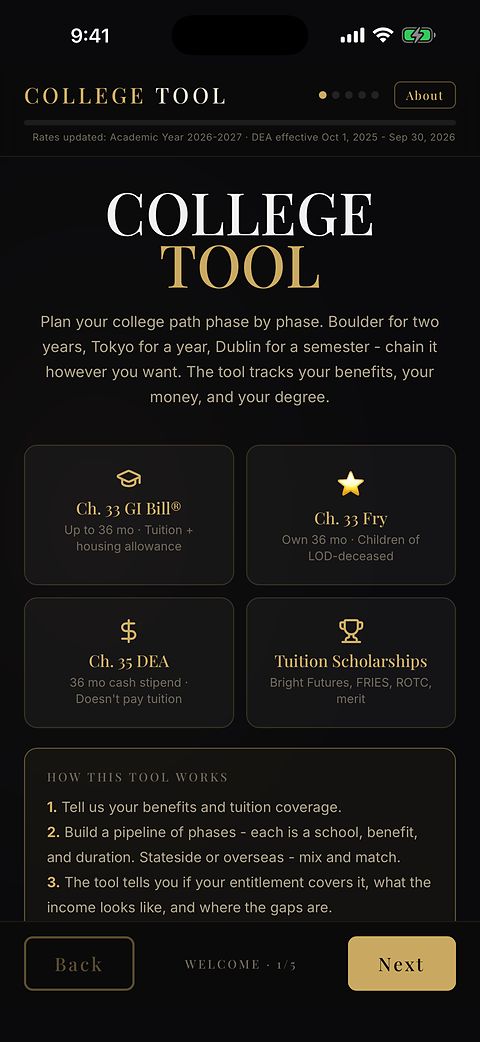
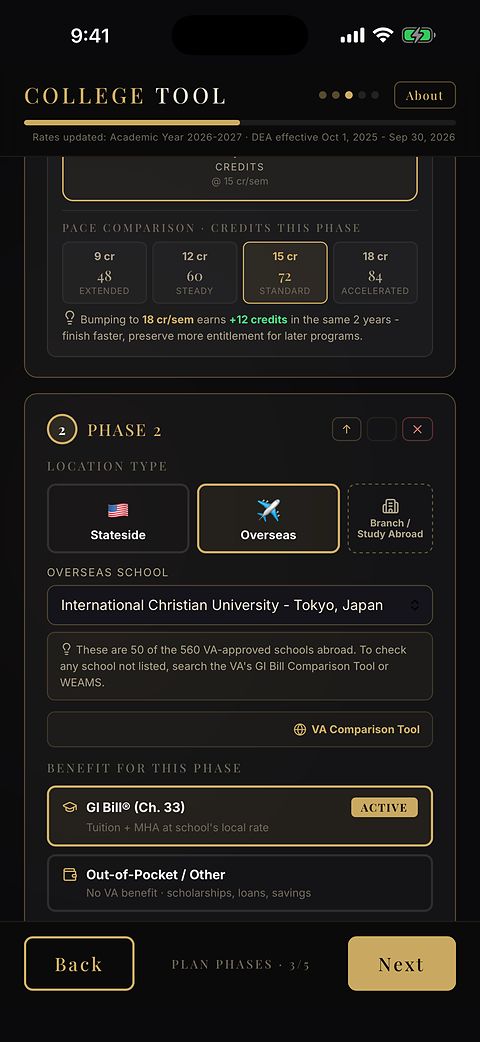
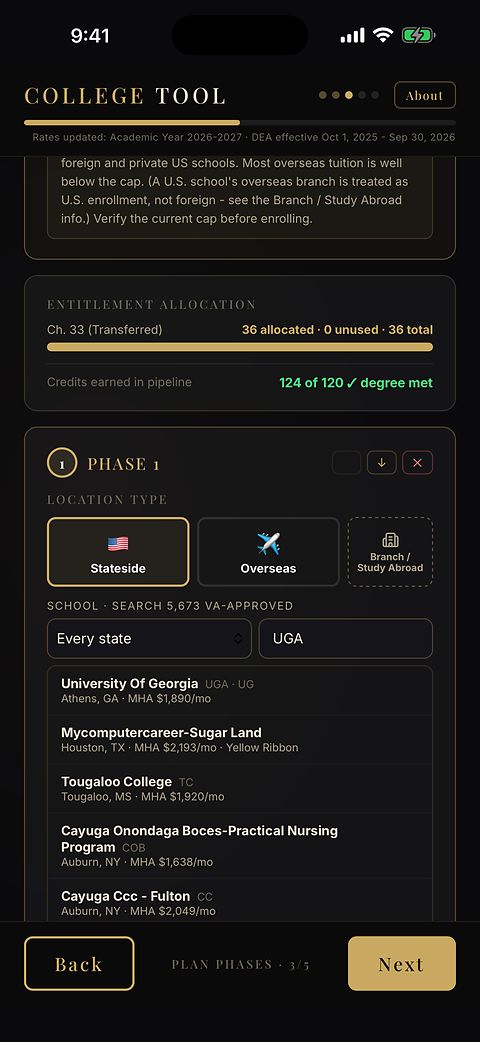
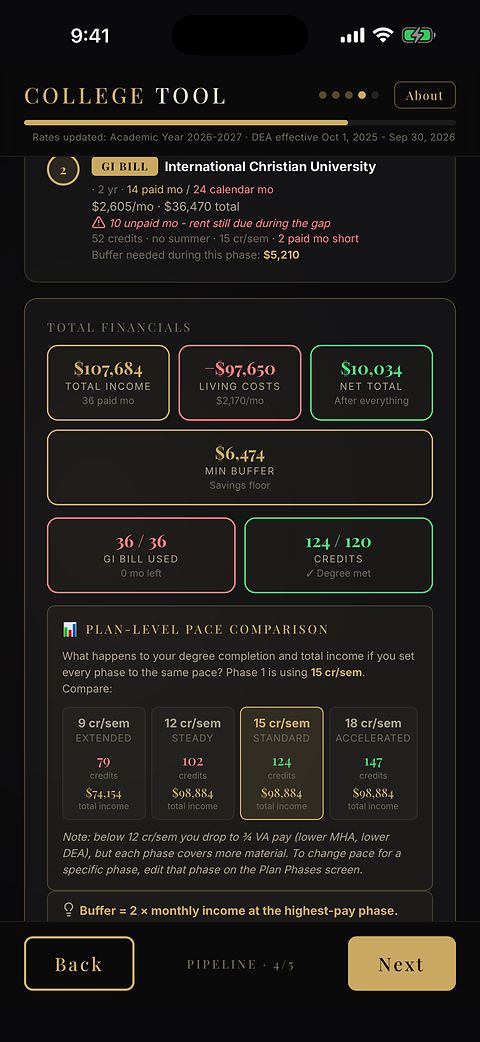
College Tool is the free-to-start GI Bill® mobile app for military families, on iPhone and Android. This page is the app as it looks on a phone today: every store screen, what changed in the latest update, and a suggestion box that goes straight to the founder who builds it.
Free to start. See pricing for what the one-time purchase adds.
Every screen, as it ships
Tell us what it should do next
The app is built by one person, a retired Air Force Master Sergeant, and this box goes straight to him. If something in the app should work differently, or there is a screen your family needed that does not exist yet, say so here. No account, no signup, and the email is only asked for in case an answer is wanted.
What the store listing says, in full
This is the app’s own store description, the same text on the App Store and Google Play, reproduced here as it ships. Every sentence in it was checked against the shipped code before it was submitted.
College Tool is a free-to-start app that shows a military family how the Post-9/11 GI Bill®, Chapter 35 DEA, the Fry Scholarship and the Yellow Ribbon Program fit into one plan, and what the order of use changes.
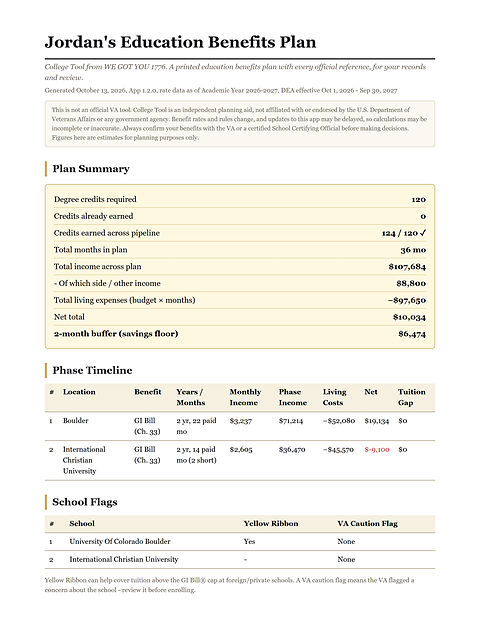
The order a family uses its VA education benefits in can change the total by thousands of dollars. College Tool maps that order, phase by phase, across a real college plan: stateside, overseas, or both in sequence. And it shows its work. The rates in College Tool point back to their official VA sources, so a family can check them and do the math themselves.
Real housing math
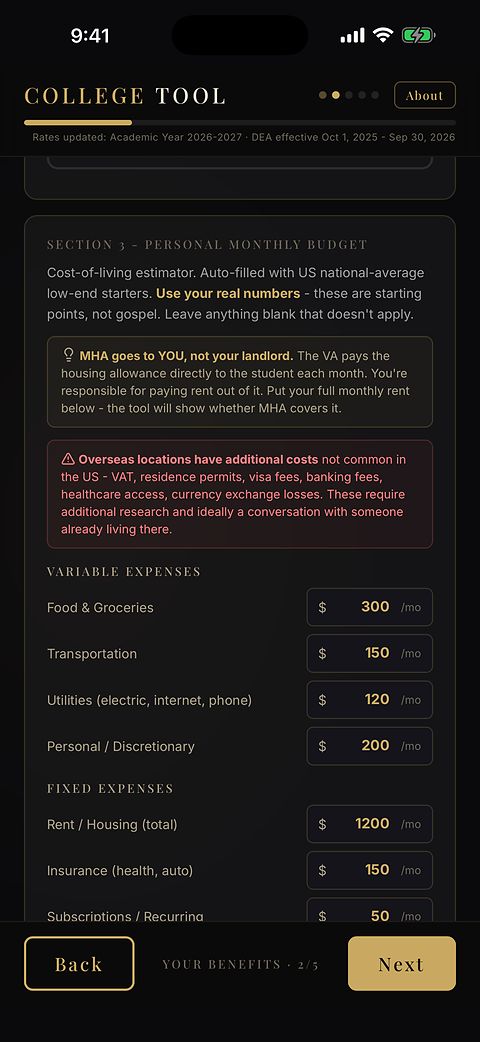
The GI Bill housing allowance (the BAH-based monthly housing allowance, or MHA) runs off the school’s zip code, on currently published rates. A cost-of-living estimator sits beside it, with rent, food, transportation, utilities and the rest, so a family can see whether the housing allowance covers real living costs before committing to a school.
School search
Browse any state, or type a school, a city, or the short name families actually use: FSU, UGA, Ole Miss. Every VA-approved school in the list carries its housing figure, its Yellow Ribbon participation, and any VA caution flag, with a link to that school on the VA Comparison Tool.
Built for military families
Service members deciding whether to transfer the Post-9/11 GI Bill to a spouse or child, military spouses and dependents using transferred benefits, children of the fallen on the Fry Scholarship, and families with Chapter 35 DEA. The app handles the Post-9/11 GI Bill, Chapter 35 DEA, the Fry Scholarship and the Yellow Ribbon Program, plus transferred months and your own scholarships on top.
Free to start
- College Tool is free to start, with no account, and a one-time purchase unlocks the full phase approach.
- The GI Bill and Fry Scholarship math, transferred GI Bill benefits, and your own scholarships, in the free states.
- The cost-of-living estimator, school search in those states, and a printed plan with its official references, for your records and review.
- Figures linked to their official VA sources.
- A free tier with no payment.
One purchase, $4.99, from version 1.2.0
- The phase approach: plan the order your benefits are used, one after another, phase by phase.
- Every state and the top 50 overseas options, all compiled so you are not researching each rate by hand.
- Chapter 35 (DEA) benefits.
Private by design
No account. No tracking. What you type stays on your phone unless you share it.
The update log
Updates reach Google Play and the App Store on each store’s own review timing, so the two can briefly differ. This log records what each update changed, by date.
1.2.0, published on Google Play October 11, 2026 (App Store in review)
- The full planner is a one-time purchase.
1.1.0, published on Google Play August 29, 2026
- School search takes the name you actually say. Type FSU or Ole Miss and the school comes back, matched from the VA’s own published alias list, on your phone, with nothing sent anywhere.
- Housing figures were rechecked school by school against the VA’s own data. Some schools gained approval and some lost it, and both changes are in.
- Chapter 35 rates were corrected to the VA’s current figures, with the October 1 rates built in so they take effect on their own.